PGP decrypt
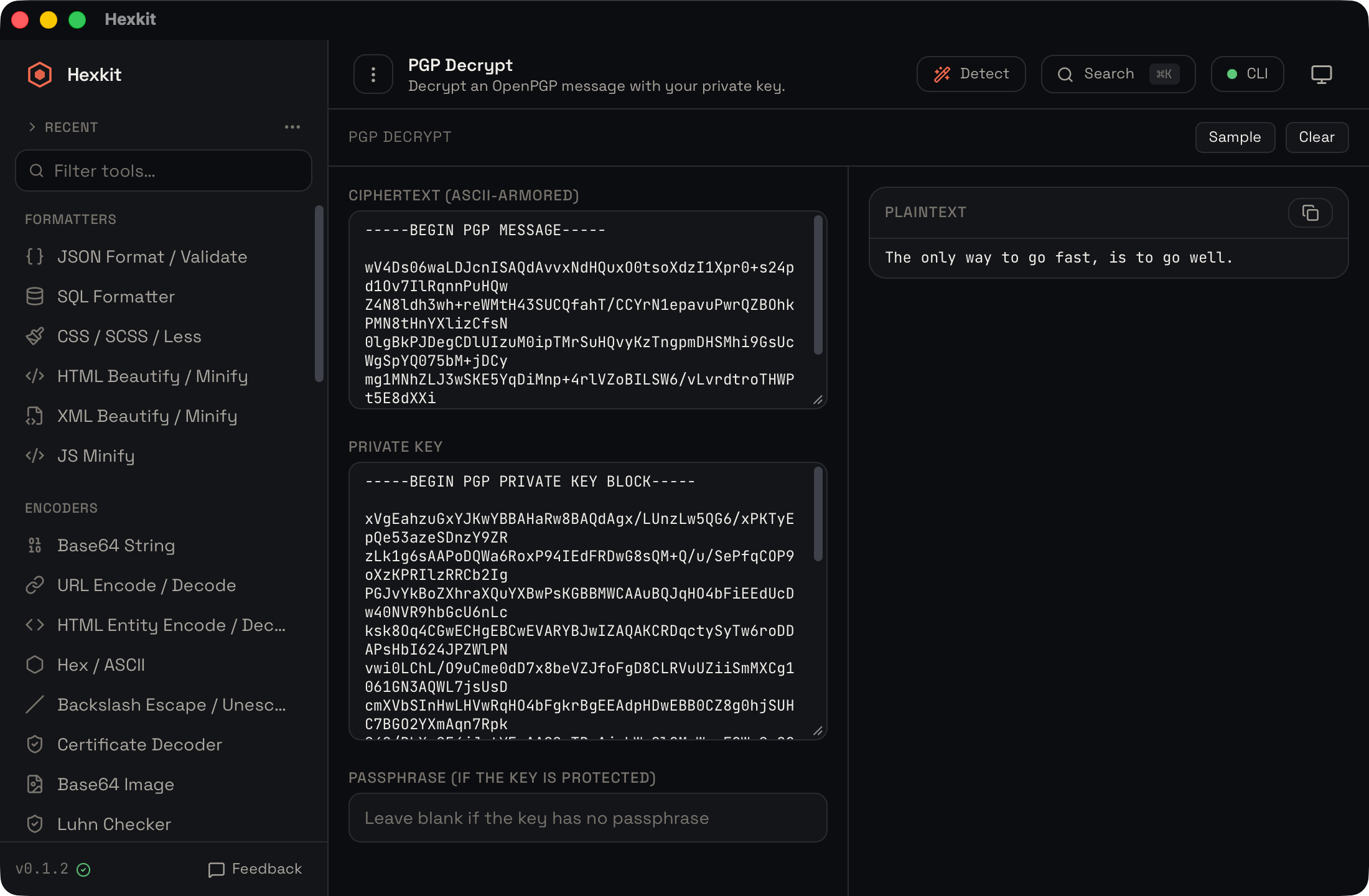
Decrypt an ASCII-armored PGP message with your private key.
Also known as: OpenPGP / GPG decrypt.
100% offline · macOS, Windows & Linux · free for personal use
// overview
What it does
PGP decrypt is one of 55 tools in Hexkit, a desktop developer toolbox that runs entirely on your own machine. Decrypt an ASCII-armored PGP message with your private key.
Because Hexkit is a native app rather than a web page, anything you paste into the pgp decrypt stays local — there are no uploads, no accounts and no telemetry. You can handle keys, signatures and encrypted messages even with the network turned off, which makes it safe for tokens, keys and production data.
// steps
How to use PGP decrypt
- 1
Open Hexkit and select "PGP decrypt", or press the command-palette key and start typing its name.
- 2
Paste your keys and message. Decrypt an ASCII-armored PGP message with your private key.
- 3
Read or copy the result. Everything is computed locally by Hexkit's Rust core, so nothing is ever uploaded.
Tip: the command palette opens any tool in one keystroke.
// faq
Frequently asked questions
- Is PGP decrypt free?
- Yes. PGP decrypt is part of Hexkit, which is free for personal and non-commercial use on macOS, Windows and Linux.
- Does PGP decrypt work offline?
- Completely. Hexkit runs every tool locally with no network access, so PGP decrypt works on a plane or an air-gapped machine.
- Is my data uploaded anywhere?
- No. Hexkit makes no network calls and has no telemetry — whatever you paste stays on your computer.
// keep going
Related tools
Use PGP decrypt without sending your data anywhere.
PGP decrypt ships inside Hexkit — a free, offline developer toolbox for macOS, Windows and Linux. No account, no uploads.